
Using the popup
The popup has four pages. Home opens first, and the others are one click away.
Home
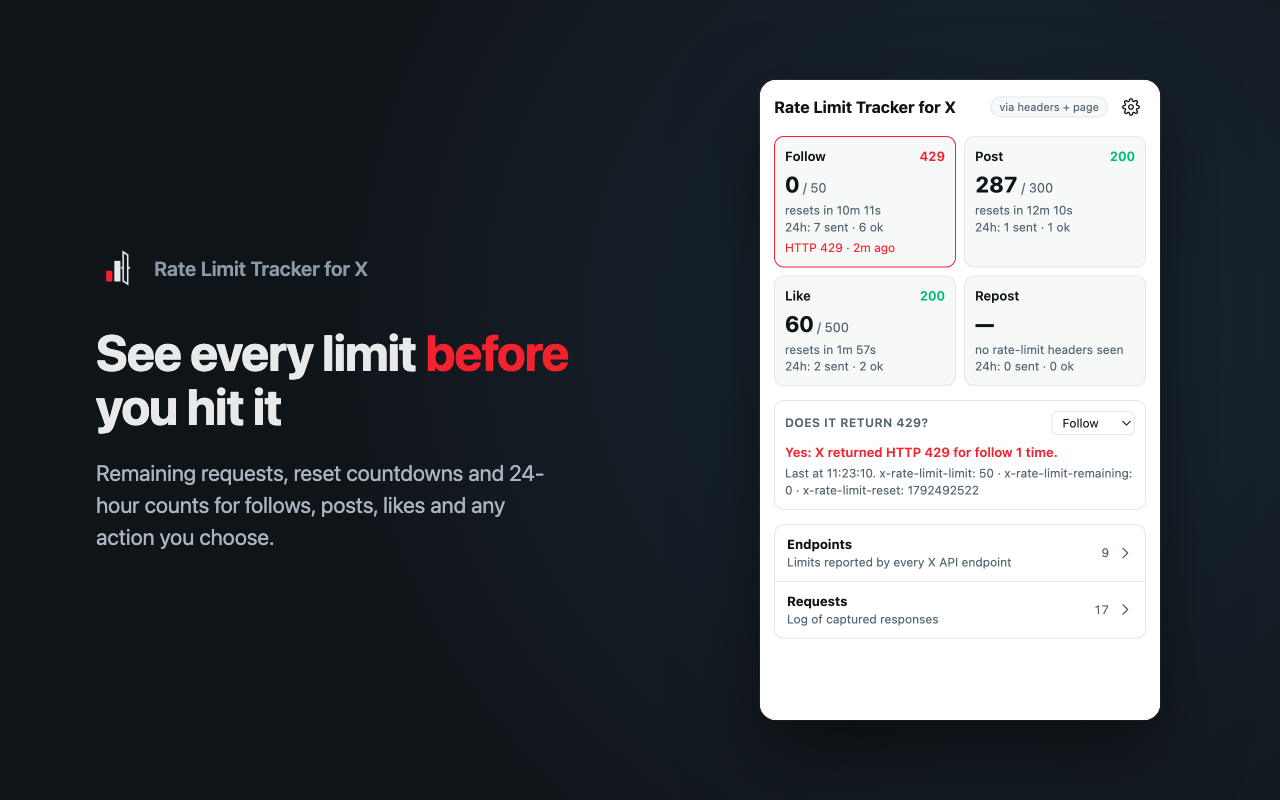
Each card is an action you've chosen to show on Home:
- remaining / limit, from X's
x-rate-limit-*headers. A dash means X hasn't sent rate-limit headers for this action yet. - resets in…, a countdown to when the current limit window ends.
- 24h, how many of these actions you sent in the last 24 hours, and how many succeeded.
- The status code of the last response. The card turns red for a day after you hit a limit.
Does it return 429? says whether the selected action has hit a limit, and how X reported it. See Rate limits on X.
Endpoints
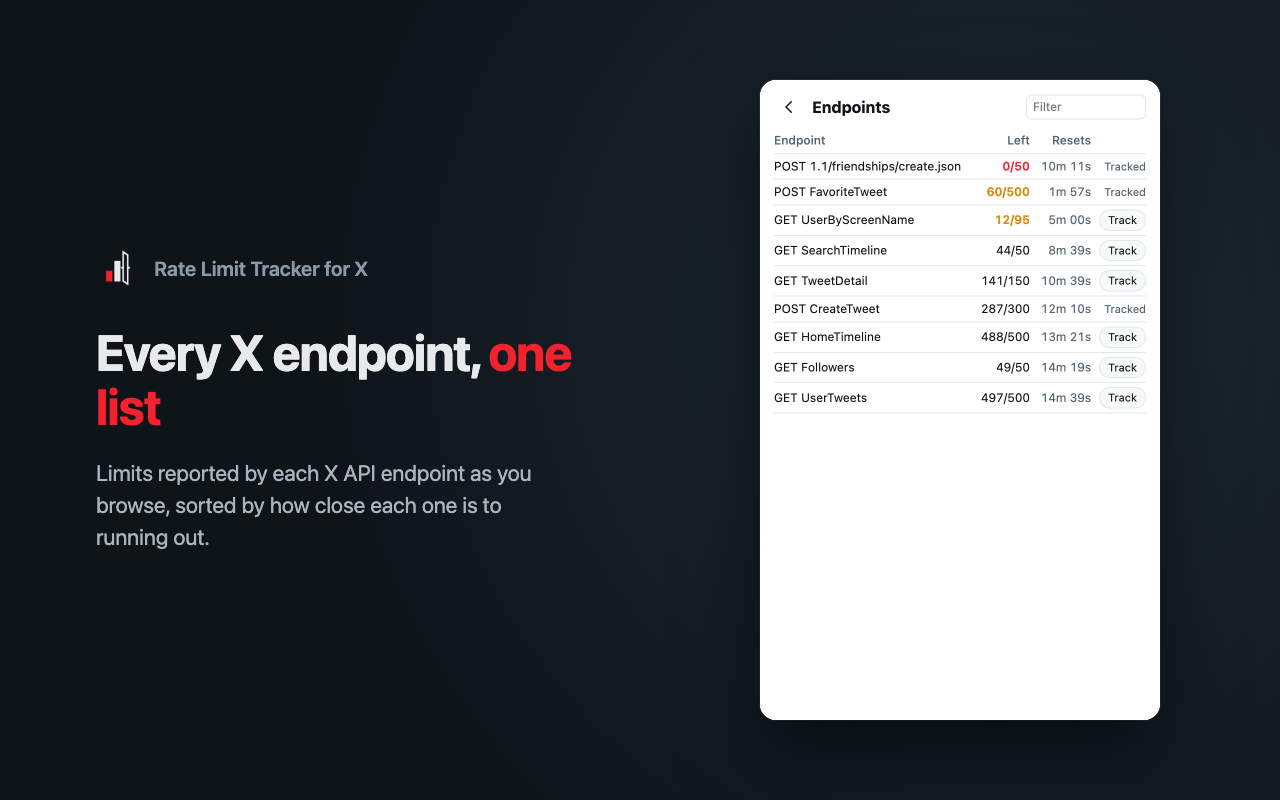
Every X API endpoint that has sent rate-limit headers, sorted by how close each one is to running out. Click Track on a row to turn that endpoint into a tracked action.
Requests
A log of captured responses. Filter it to All, Tracked actions or Errors only. Hover a row to see the full path and whether it was captured from response headers, from the page, or both.
Settings
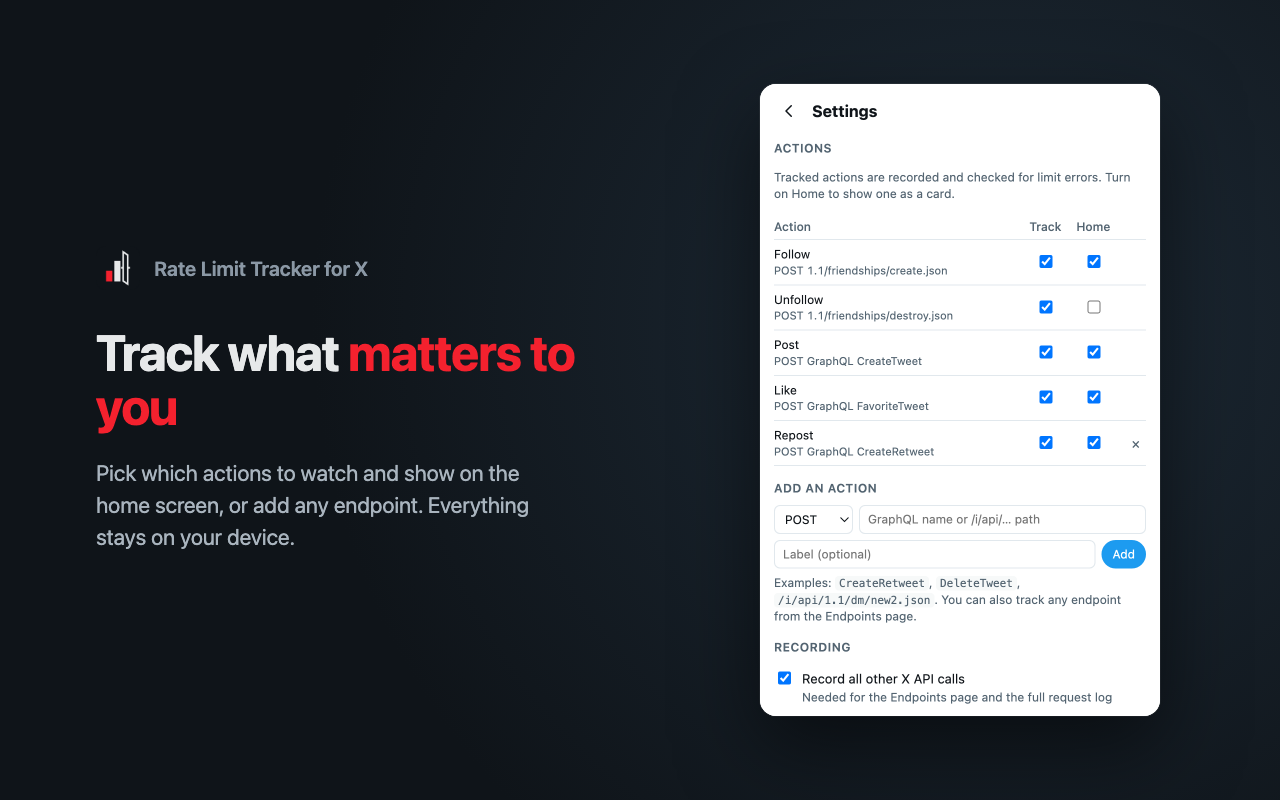
- Actions: for each action, Track records it and checks it for limit errors, and Home shows it as a card. Remove an action you added with ×.
- Add an action: enter a GraphQL operation name (like
CreateRetweet), an/i/api/…path or a full URL, with an optional label. - Recording:
- Record all other X API calls fills the Endpoints page and the full request log. Turn it off to keep only tracked actions.
- Read X error codes from the page catches limits X reports without a 429.
- Data: Export JSON saves your history to a file, and Clear history deletes it. Your settings are kept.
These actions are tracked out of the box:
| Action | Request |
|---|---|
| Follow | POST /i/api/1.1/friendships/create.json |
| Unfollow | POST /i/api/1.1/friendships/destroy.json |
| Post | POST /i/api/graphql/<id>/CreateTweet |
| Like | POST /i/api/graphql/<id>/FavoriteTweet |
GraphQL actions are matched by their operation name. The <id> part changes whenever X updates its website, so matching on it would break.